
 中文 | CNY
 English | USD
 Русский | RUB












Please follow the steps below to change your email. If a timeout occurs during the process, this tutorial provides a solution.
Make sure to read the entire email change tutorial carefully.
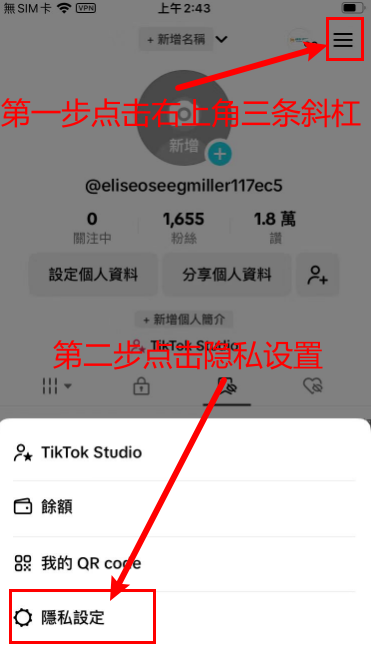
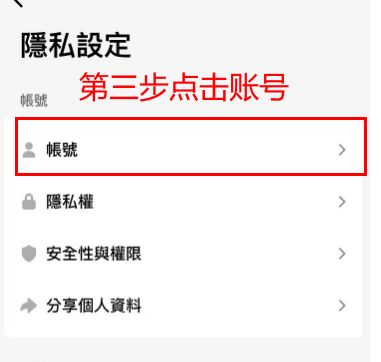
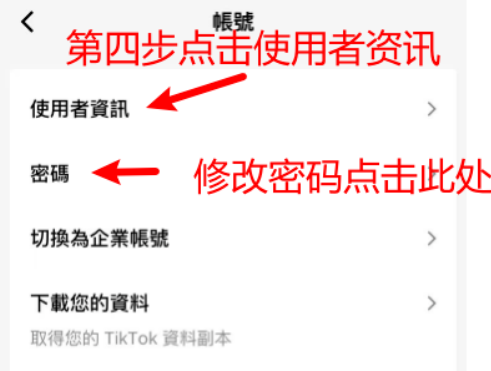
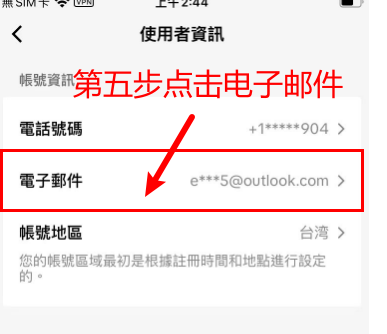
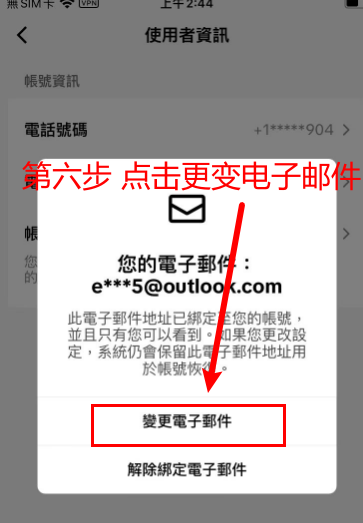
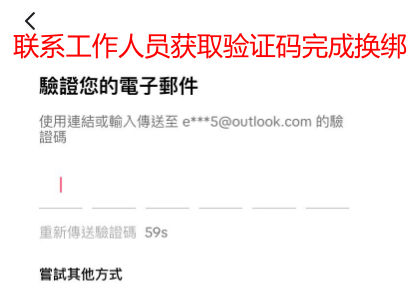
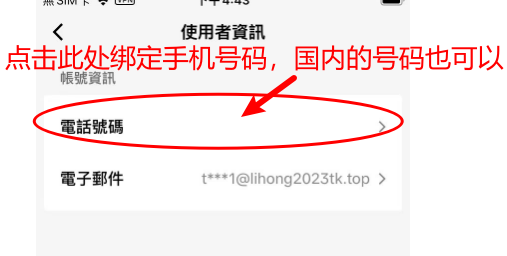
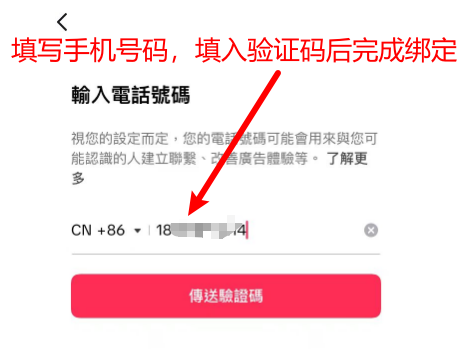
If a timeout occurs during the email change, please follow the steps below (with illustrations):
- Bind a phone number, domestic numbers are also acceptable.
- Unbind your current email (remember: do not replace the email, just unbind it) and continuously request the verification code from the support staff.
- After unbinding the email, bind your own email to complete the process successfully.
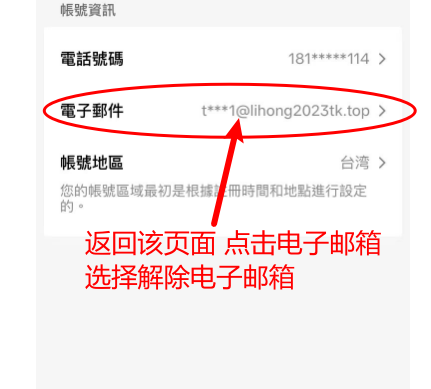
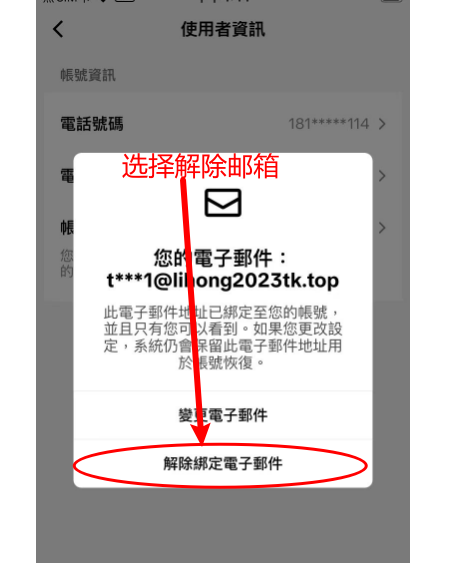
Then contact the staff to receive the verification code and unbind the email.
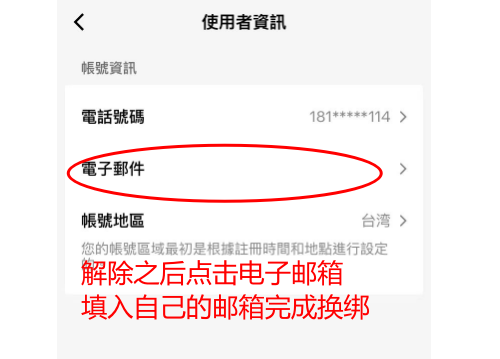
After successfully binding your email, if you want to unbind your phone number, follow the same method: simply click on the phone number to unbind it.