
 中文 | CNY
 English | USD
 Русский | RUB












Twitter (now called X) supports multiple display languages. If you find that the X interface is entirely in English when you first use it, or the menu language changes due to system settings, you can switch it to Simplified Chinese through X’s built-in language settings. The following guide explains how to change the language settings on the X web version.
1. Open Settings and Privacy
Log in to your X (Twitter) account and go to the homepage.
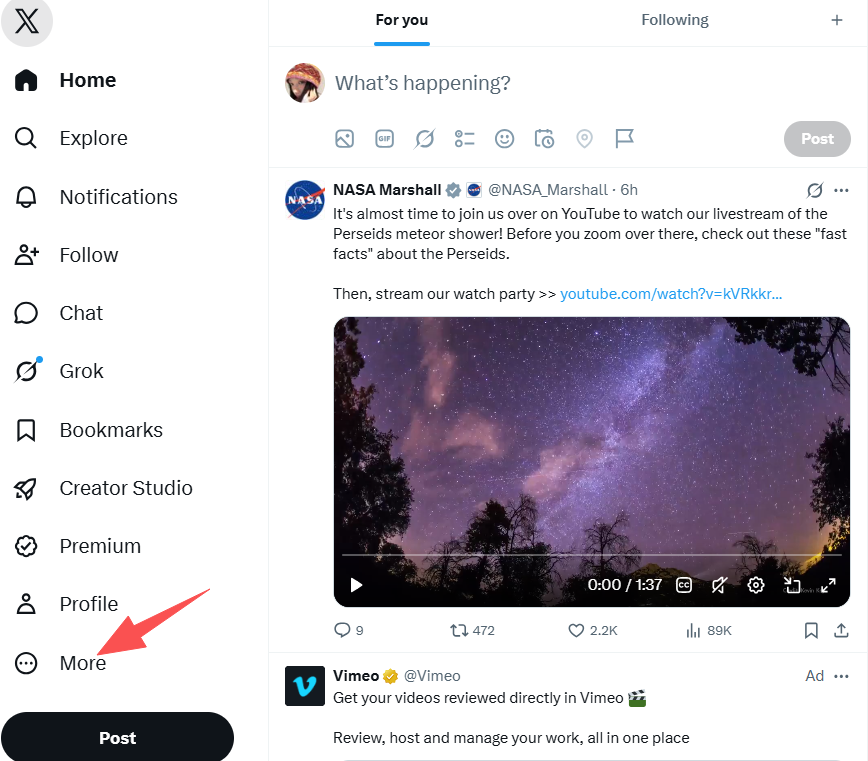
Find More in the left-side menu.
Click More, then a function menu will appear. Find Settings and privacy and click to enter the settings page.
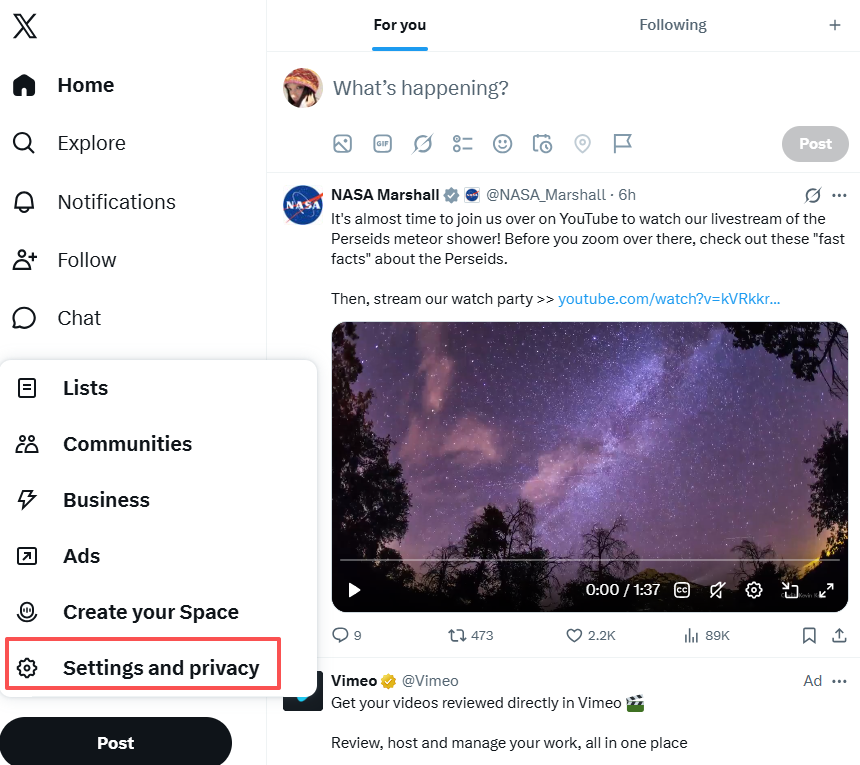
If your current interface is not in English, find the option corresponding to “Settings and privacy” in your current language.
2. Find Language Settings
After entering Settings and privacy, you will see multiple setting categories.
Find:
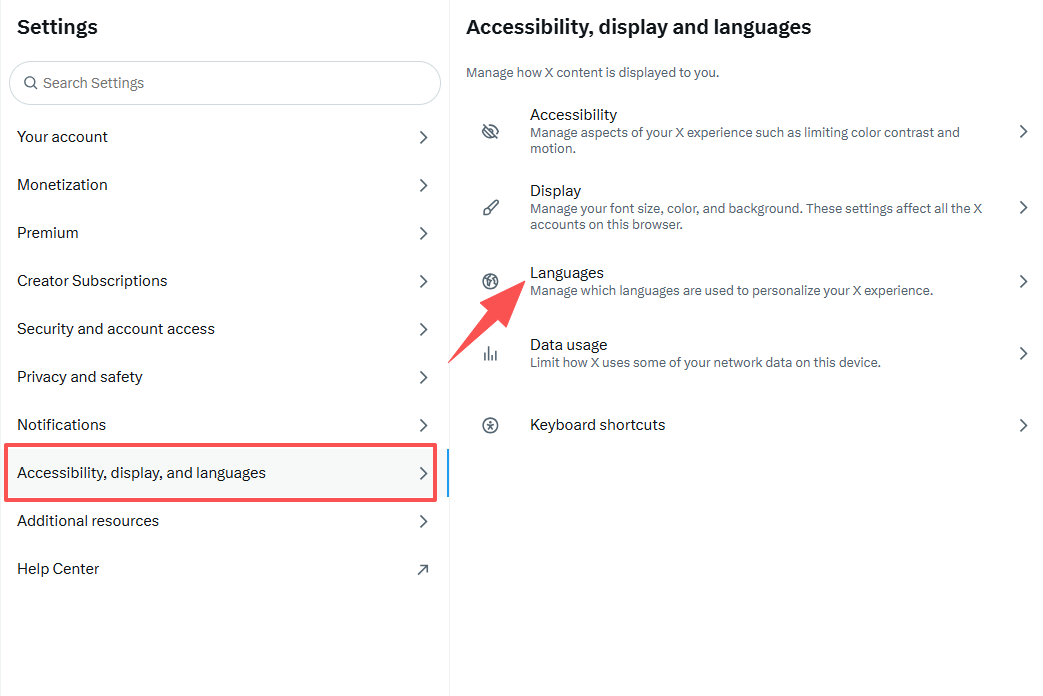
Accessibility, display, and languages
Click to enter.
Then select:
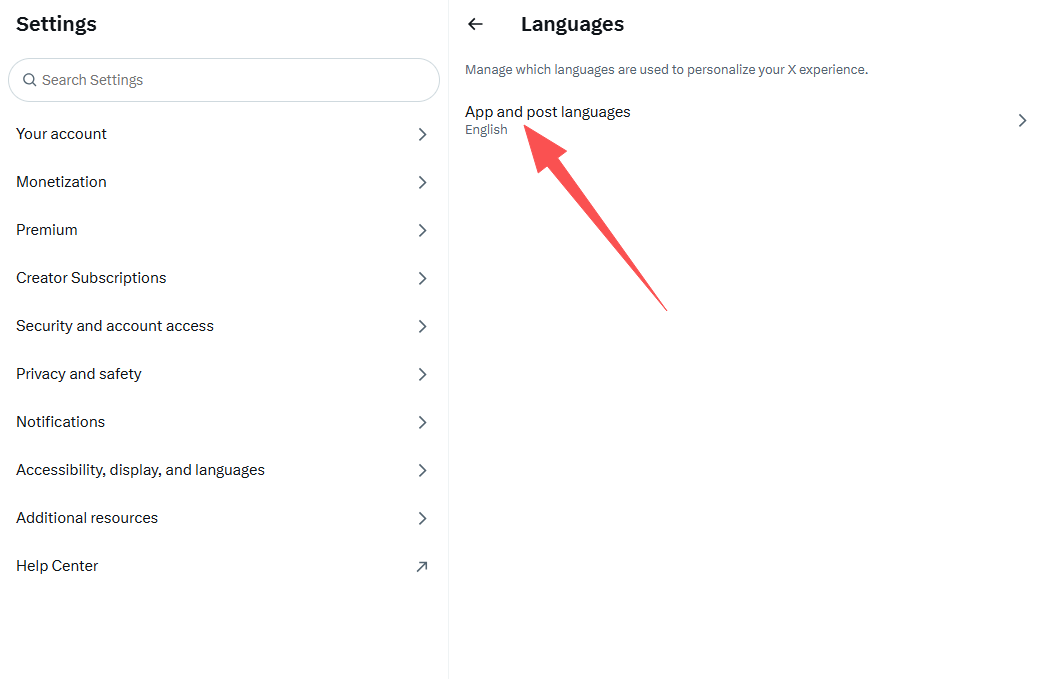
Languages
to open the language settings page.
3. Select Simplified Chinese
After entering the language settings page, find the language list.
Search for:
Simplified Chinese
Click to select it.
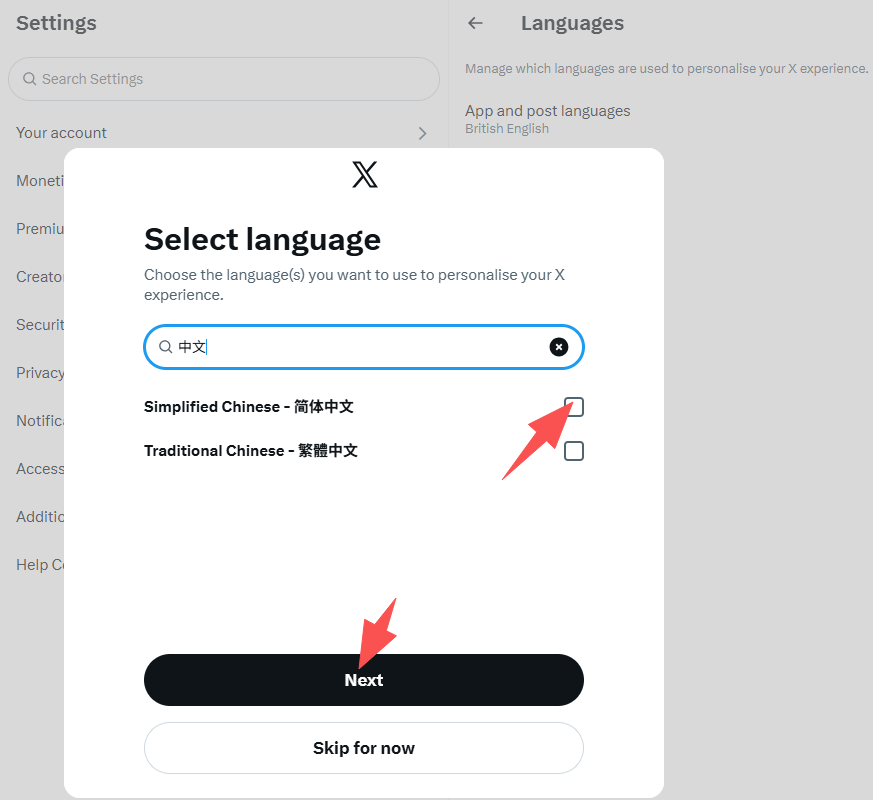
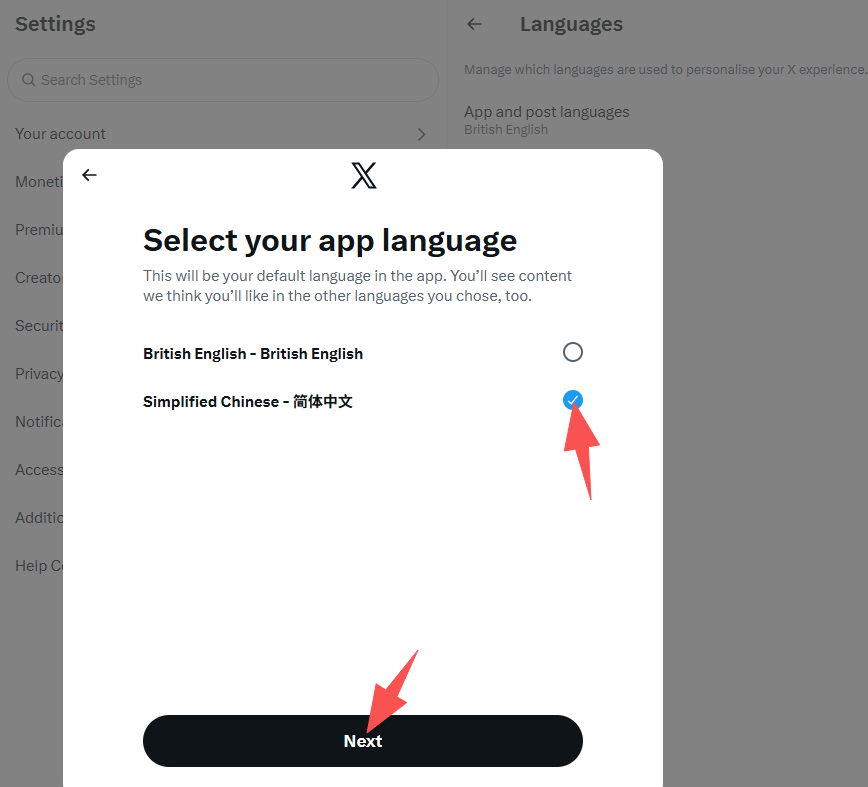
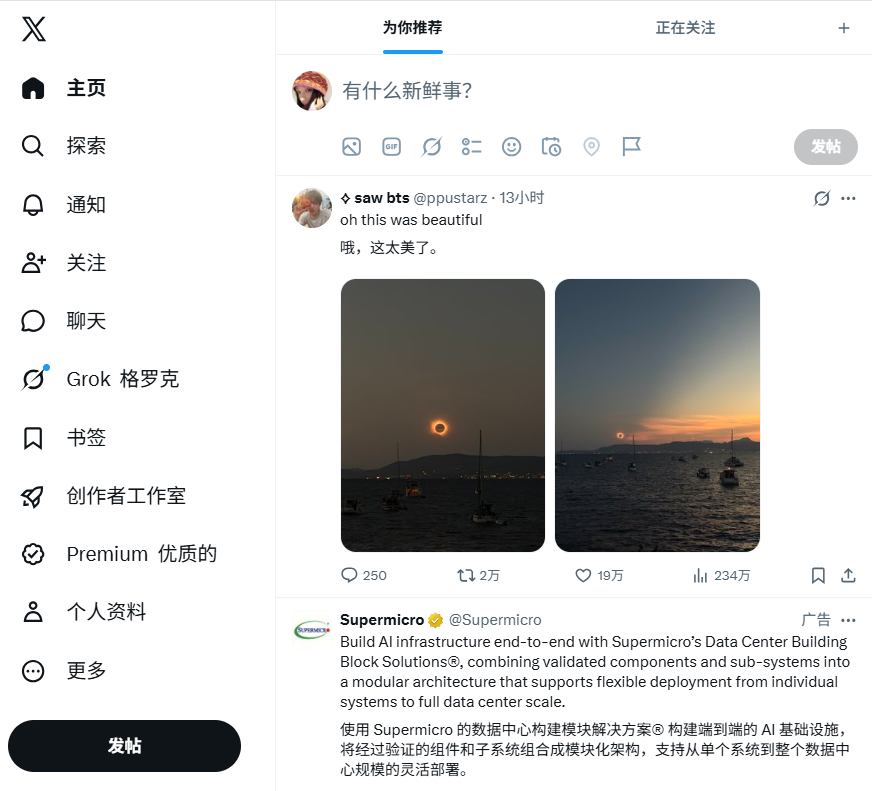
After completing the selection, save the settings according to the page instructions, then return to the X homepage and refresh the page.
Normally, menus, settings options, and some function buttons will be displayed in Chinese.
4. What If It Still Shows English After Setting?
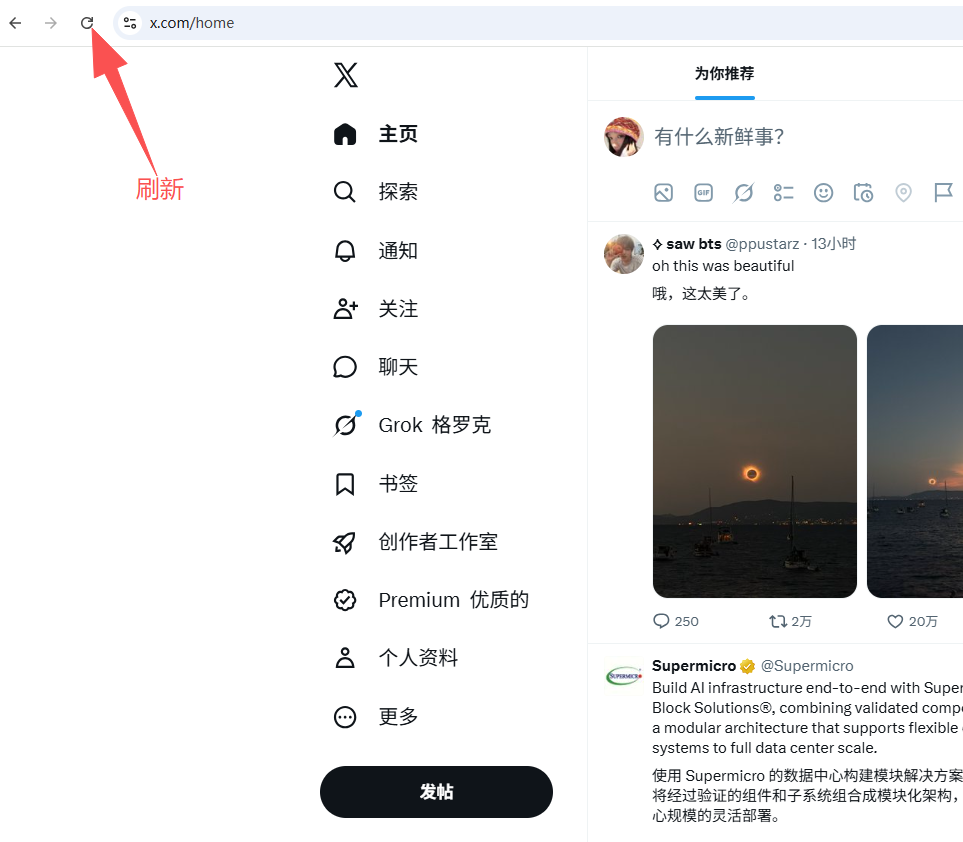
If the page does not change immediately after changing the language, try the following methods:
- Refresh the current X page.
- Close the browser and reopen X.
- Log out of your X account and log in again.
If only some content is still displayed in English, it usually does not mean that the language setting failed.
Some X pages, user-generated content, and newly launched features may not have complete Chinese translations, so mixed Chinese and English displays may occur.
5. What Should You Pay Attention to When Changing Language?
X language settings mainly affect the interface display language and will not change other account information.
Changing the language will not affect:
- Account registration region
- Username
- Follower count
- Following list
- Published posts
- Account profile information
If you only want to change the English interface to Chinese, there is no need to modify account information or create a new account.
Summary
X (Twitter) web language setting path:
More → Settings and privacy → Accessibility, display, and languages → Languages → Display language → Chinese - Simplified
Follow the above steps to switch the main X interface to Simplified Chinese.