
 中文 | CNY
 English | USD
 Русский | RUB












TikTok supports multiple login methods, including phone number, email, third-party accounts, and username login. For accounts that support username login, users only need to enter the correct username and password to quickly log in to TikTok. The following provides a detailed introduction to the specific steps for logging in to TikTok with a username.
I. What Is Username Login?
A TikTok username is the unique identifier of each account and usually starts with @, for example: @tiktok2026

If your account supports username login, you can directly use your username + password to log in to TikTok on the web without entering your phone number or email address.
II. TikTok Web Username Login Steps
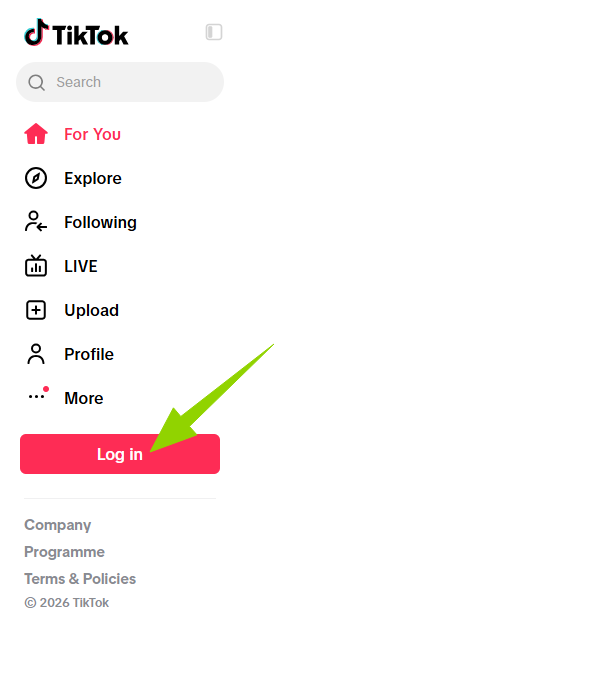
Step 1: Open the TikTok Official Website
Open the TikTok official website using a computer browser and click Login in the upper-right corner of the page.
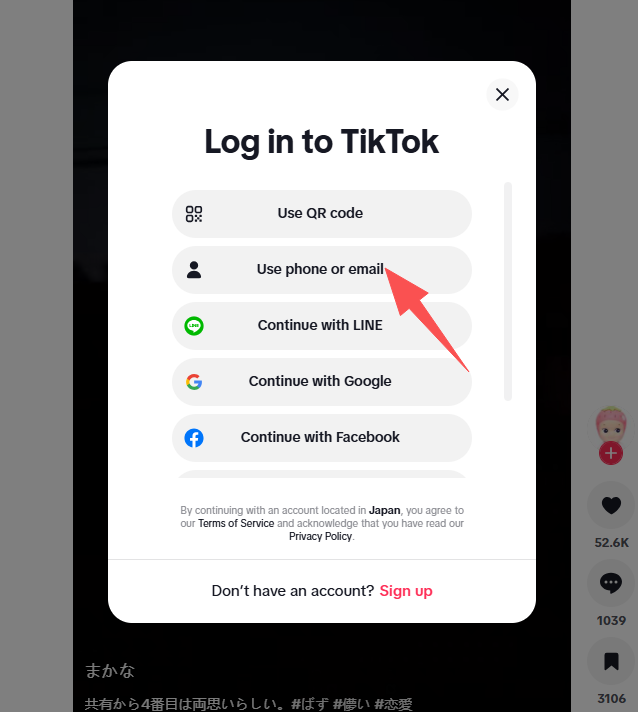
Step 2: Select a Login Method
On the login page, select Use phone / email / username.
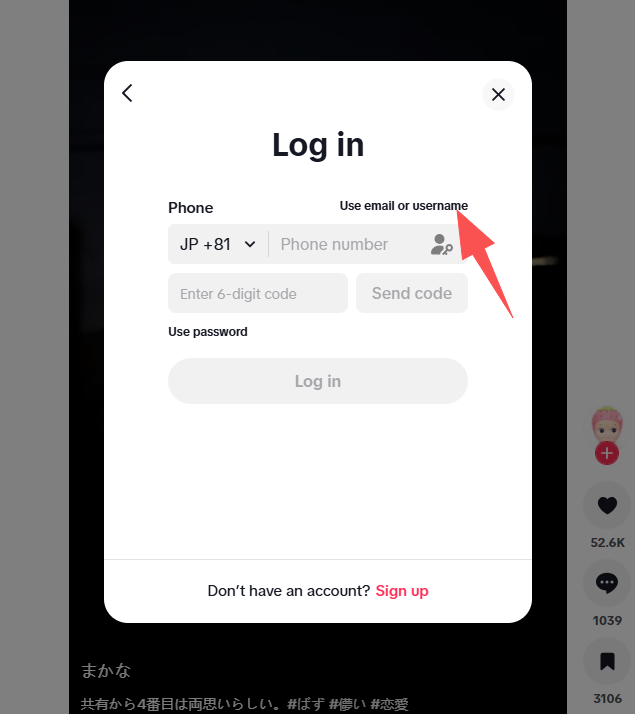
Step 3: Switch to Username Login
After entering the login interface, select Username.
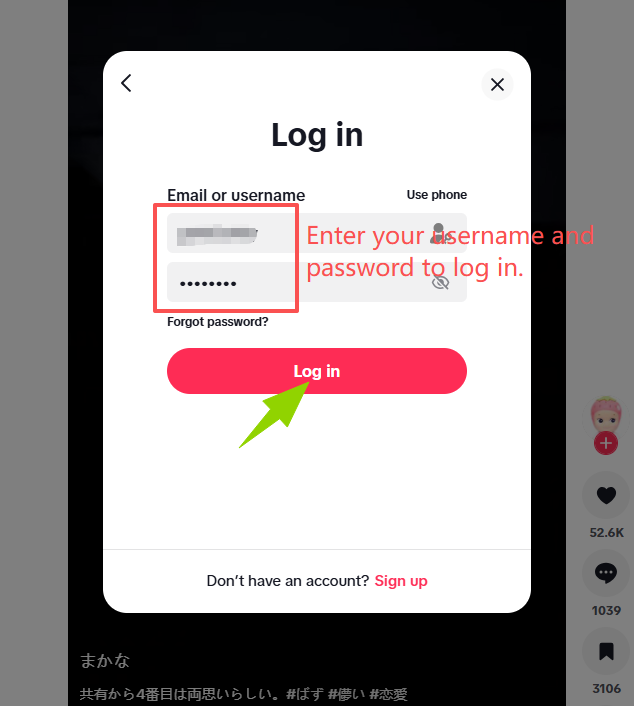
Step 4:
-
Enter your TikTok username (you do not need to enter the @ symbol; enter it according to the page requirements)
-
Enter your login password
After confirming that the information is correct, click Log in.
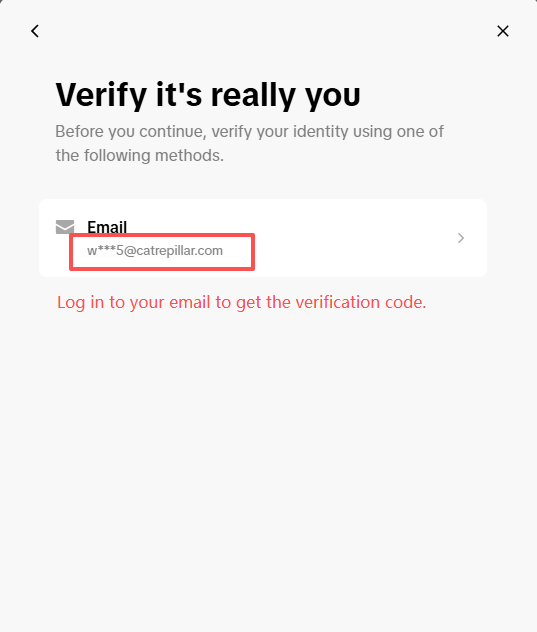
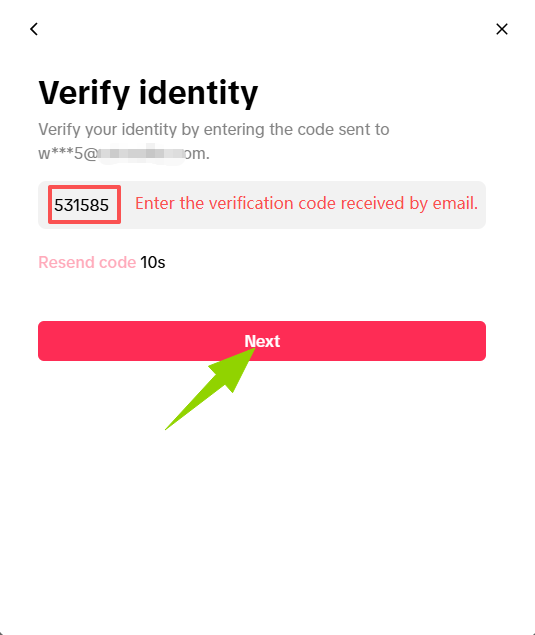
Step 5: Complete Security Verification
If email security verification is enabled for the account, follow the instructions on the page to complete the verification code verification, after which you can successfully log in to the account.
 →
→
III. What to Do If TikTok Login Fails?
1. Incorrect Password
Check:
Whether the information was entered incorrectly
Whether there are any uppercase or lowercase issues
Whether extra spaces were copied
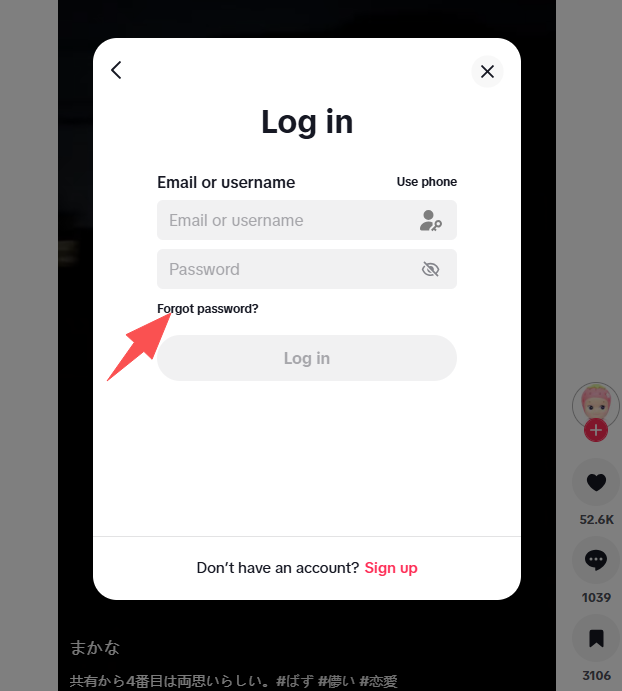
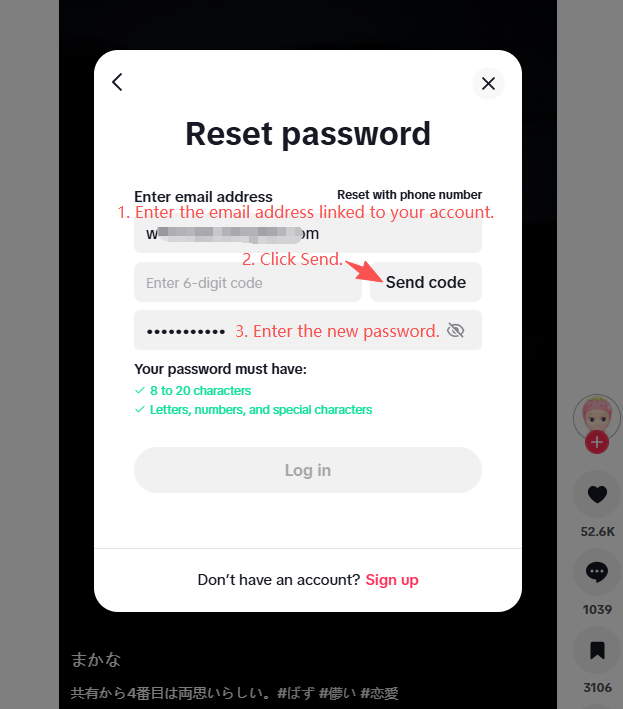
Or you can select Forgot Password and go to your email to obtain a verification code and reset your new password.
 👉
👉
2. Not Receiving the Verification Code
You can try:
Check whether text messages are being blocked
Check your email spam folder
Wait and resend the verification code
IV. TikTok Login Notes
Do not share your verification code or password with others.
Avoid frequently switching login environments within a short period of time.
Regularly check your account security settings.
Summary
TikTok offers multiple login methods, including phone number, email, and username login. Whether using the mobile app or the web version, simply select the corresponding login option, enter the correct account information, and complete the security verification to log in. If you encounter login problems, you can resolve them by resetting your password or adjusting your login environment.